Create Quizzes
A quiz groups questions for use in an assignment. It can contain individual questions, selections drawn from question banks, or both.
Create a quiz
- Open Main Menu and select Quizzes.
- Select New.
- Enter a name for the quiz and confirm.
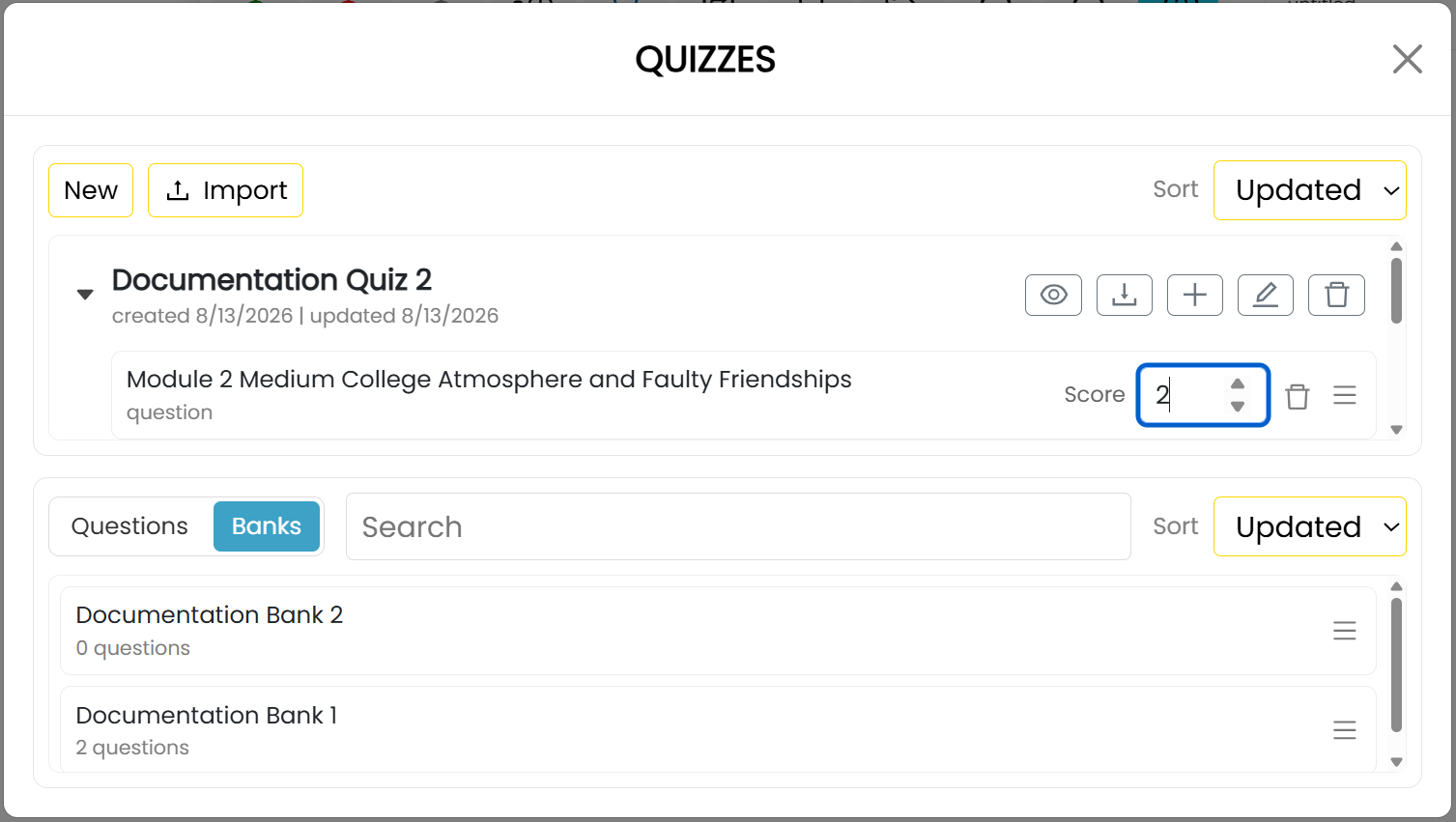
The upper area of the Quizzes window contains your quizzes. The lower area has Questions and Banks tabs for the items you can add.
Add questions or banks
Drag a question or bank from the lower area onto the desired quiz. You can also select the add command beside a quiz, choose the Questions or Banks tab in the Add Items window, select the items, and then select Add.
For a question bank, set Pick to the number of questions the quiz should draw from that bank.
Assign scores
Set the Score value beside each question or bank item to specify its contribution to the quiz score.
Preview, export, or import a quiz
- Select the eye-shaped preview command beside a quiz to preview it.
- Select the export command beside a quiz to download it as a JSON file.
- Select Import at the top of the window and choose an exported quiz file to add it to your quizzes.
A quiz is not available to students until you use it in a published assignment.