Create Multiple Trees
A single Argumentation.io map can contain multiple argument trees on the same canvas. All the trees belong to the same saved map.
Add a tree
Select Add main contention in the toolbar. The new main contention appears to the right of the current rightmost tree.
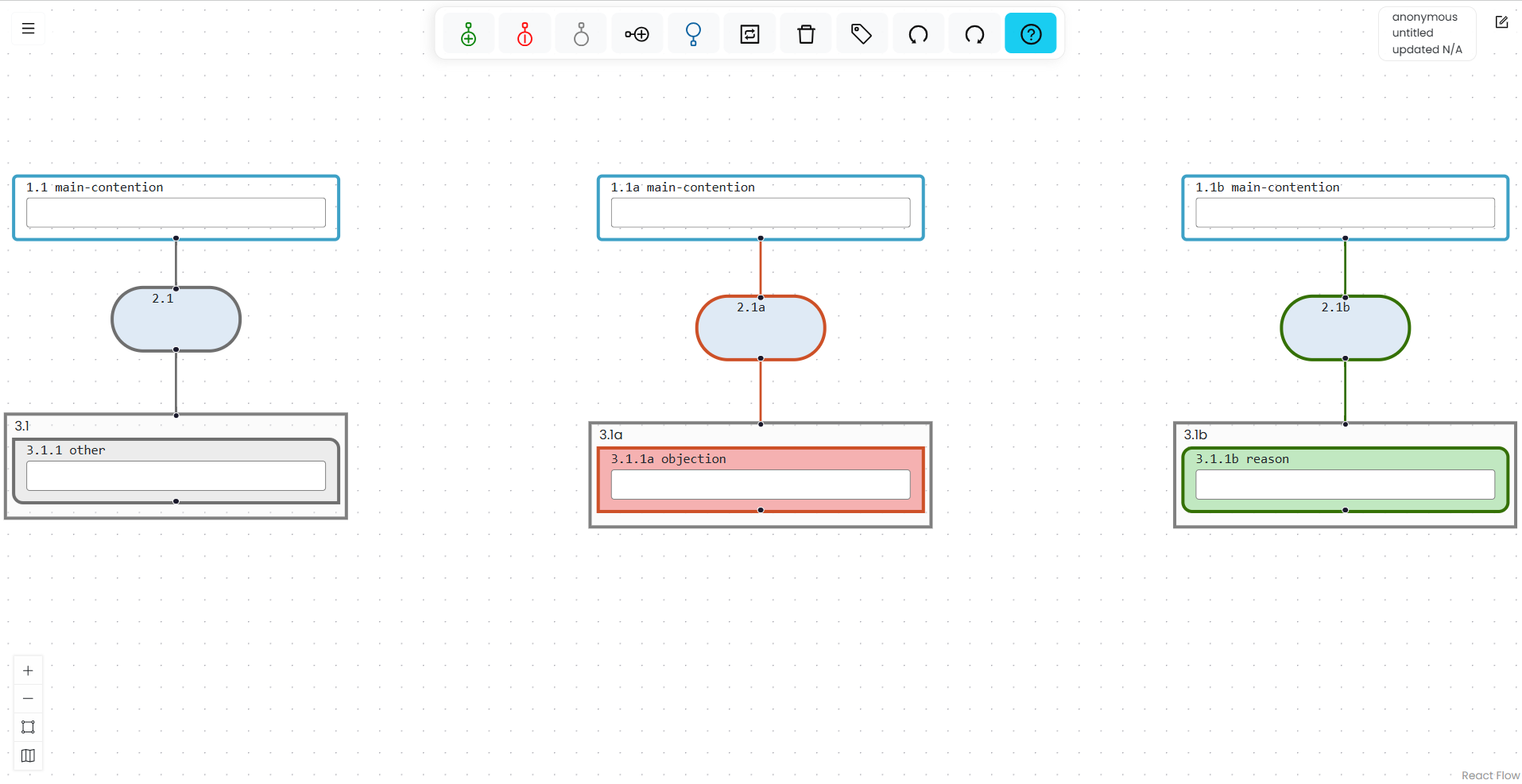
Trees cannot be manually reordered relative to one another.
Navigate among trees
To cycle among the main contentions, press Shift+Alt+M on Windows or Shift+Option+M on Mac.
The ordinary map-navigation commands also move logically among boxes in different trees.
Box numbering
Boxes in the first tree use the standard numbering. Boxes in the second tree have a appended to their numbers, boxes in the third tree have b appended, and later trees continue alphabetically.
Delete a tree
Select the tree’s main contention and use Delete. Deleting the main contention also deletes everything beneath it.
If other trees remain, Argumentation.io updates their numbering. For example, if the first tree is deleted, the tree previously identified with a becomes the first tree.
You cannot delete the main contention when it is the only main contention on the canvas.